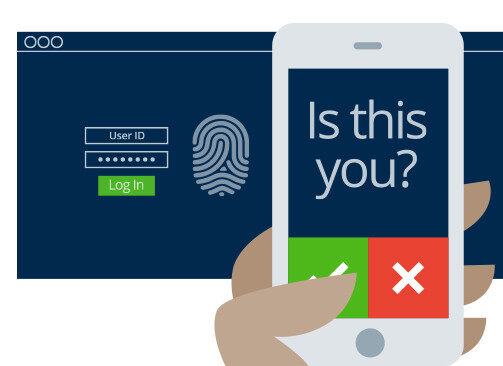
Multi-factor authentication is an essential part of a comprehensive cybersecurity program. Many IT professionals and security frameworks recommend all businesses, organizations, and people use MFA to secure their accounts and computing devices, but do you know the risks mitigated by MFA?
Compromised accounts are a big issue when passwords are overused, too simple, or fall into the hands of bad actors. While creating unique passwords for each account offers a level of protection, how can you ensure that these credentials prevent unauthorized access?
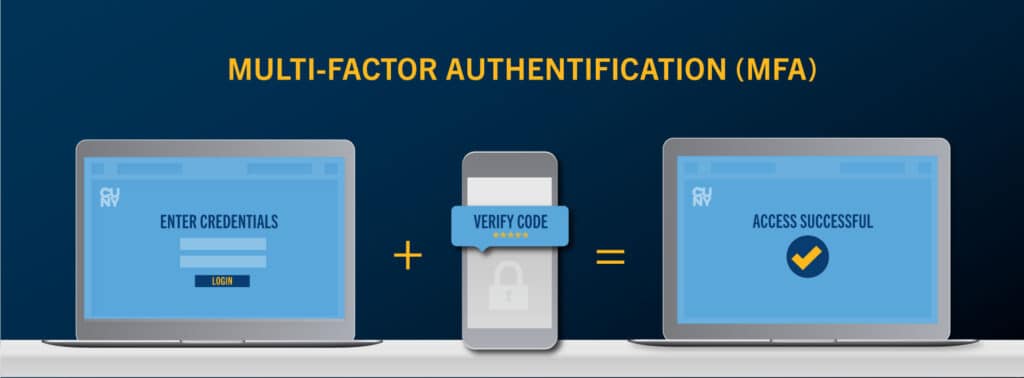
This is where MFA (Multi-factor authentication) comes into play. MFA technology provides either a set of numbers, a push notification or even a biometric key that allows you to access your accounts.
MFA is a security technology that requires multiple methods of authentication from independent categories of credentials to verify a user’s identity for a login or other transaction. The goal of MFA is to have a layered defense that makes it far more difficult for an unauthorized person to access a computing device, an online account, and a network or database. 61% of data breaches in 2020 involved misuse of credentials, according to Verizon’s latest Data Breach Investigation Report (DBIR), and the rampant dark web exchange of user passwords has made them inadequate for protecting sensitive business systems.
MFA is highly effective against certain attacks. One year-long study conducted by Google along with New York University and the University of California, San Diego found the use of SMS codes sent to recovery phone numbers resulted in:
Click to schedule your 30 minute discussion with an IT security professional
Traditional user ID and passwords can be easily compromised and can lead to costing organizations millions of dollars. Bad actors use automated password cracking tools to guess various combinations of usernames and passwords until they find the right sequence. Although some password-protected accounts are locked after a certain number of attempts, hackers have numerous of other methods to access your systems and accounts, including breaches of accounts many of us maintain with banks, retail outlets, and other eCommerce websites that you or your employees may frequently use.
According to a study conducted by Alex Weinert, The Director of Identity Security at Microsoft:
MFA blocks 99.9% of all attacks
Microsoft MFA requires that you specify how you want to provide the second factor as part of your Microsoft Office 365 account log in. Microsoft MFA provides the following second factor options:
Even if you are not familiar with Microsoft MFA, you’ve probably used MFA already if you’ve logged into a website that sent a code to your phone, which you then entered to access to your account.
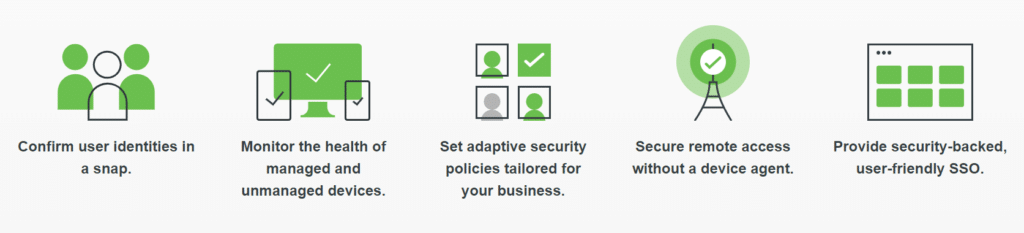
There’s no easier way to use multi-factor authentication. Designed for the modern workforce and backed by a zero trust philosophy, Duo is Cisco’s user-friendly, scalable access security platform that keeps your business ahead of ever-changing security threats.
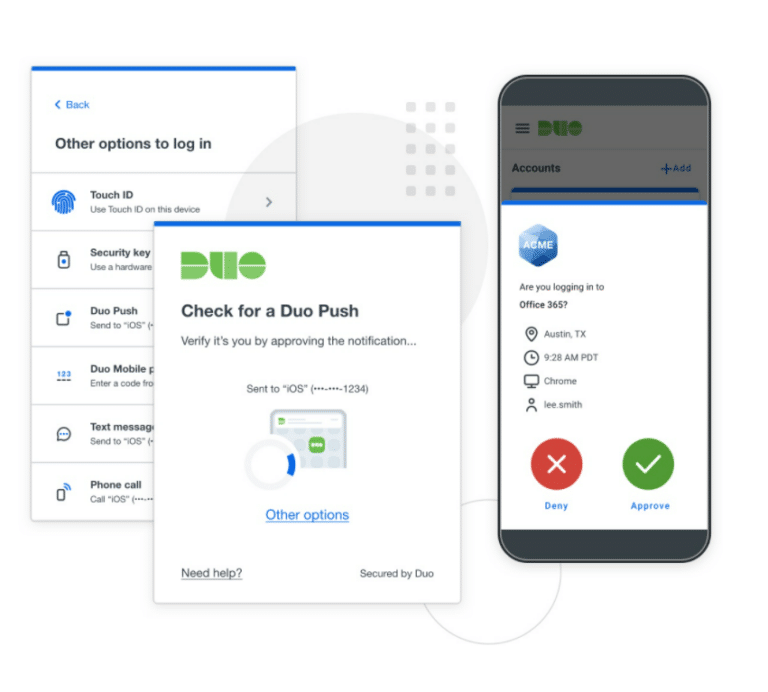
Duo’s Multi-factor authentication protects your applications by using a second source of validation, like a phone or token, to verify user identity before granting access. Duo is engineered to provide a simple, streamlined login experience for every user and application, and as a cloud-based solution, it integrates easily with your existing technology.
Users can choose from a range of authentication methods that are supported by Duo Security including the Duo Push app, U2F, and biometrics, apart from tokens and passcodes. It can be deployed quickly and easily to support new applications and devices without affecting the existing systems. Admins can access all the information that they need on a powerful dashboard that is also capable of generating detailed reports. Unlike Microsoft MFA, you’ll be able to get a complete report of who is accessing your accounts and sensitive business credentials.
MFA is easy to use, and AllConnected’s team will integrate it with your Active Directory to ensure all employees are protected. We begin by ensuring all critical applications (whether on-premise or in the cloud) are incorporated into our client’s MFA strategy. Through our project planning process, we address any impacts on employees and business workflow. Interrupted workflow is a concern for most organizations, and we assure our clients that implementation is fast and easy for all employees, providing training when required.
Because Duo functions like a gateway for your existing and future IT infrastructure, it’s the perfect solution for growing businesses of any size.
We’ve found the user-friendly dashboard allows for business’ to have more control and transparency over who, and which devices, can be allowed access to sensitive information. We provide Duo with our SmartConnect service and takes minimal time to integrate with all users.
Duo natively integrates to secure any application or platform, so whether you’re adding 2FA to meet compliance goals or building a full zero trust framework, Duo is the perfect addition to your security portfolio and ensuring you meet cybersecurity insurance requirements.
MFA is simple one of the many cybersecurity components your organization needs to have in place, but not the only one. AllConnected recommends adopting the NIST 800-171 Cybersecurity Framework (CSF) as the underlying structure for most of our client’s cybersecurity programs. Such frameworks incorporate routine maintenance, secure off-site cloud repository, encryption options, Office 365 policies and protections, and other professional services who can help improve cybersecurity. Though all very crucial, there is no one solution to your cybersecurity vulnerability.
Multi-Factor Authentication needs to be a part of your organization’s IT infrastructure but choosing the right application and security features can be difficult. AllConnected has a team of experts that are ready to talk about how MFA can improve your security, meet requirements of your cybersecurity insurance provider, and simplify authentication. Fill out our contact form below or schedule an IT discussion to get more information on how to better protect your network by installing a security feature like MFA.

If today’s cybercriminal obtains your login credentials, he can change your account settings, steal sensitive personal or company data, send out phishing emails as you, and possibly access additional accounts within your organization. While not perfect, implementing an Multi Factor Authentication policy in your organization will go a long way toward securing your IT infrastructure...